New semester, new class schedule, new laptop or dorm Wi-Fi — back-to-school season means students are managing more accounts, devices, and shared networks than ever. It is also prime season for scammers, who know students are juggling financial aid portals, campus logins, textbook marketplaces, and new apartment leases all at once. A few simple habits can go a long way toward keeping your information safe this year.
Here are five to start with:
Between your school portal, email, banking app, streaming services, and every syllabus-linked tool your professors assign, the average student juggles dozens of logins. Reusing the same password across accounts is risky: if one site is breached, scammers try that same password everywhere else, including your student email and financial aid account.
A password manager takes care of this automatically. It generates strong, unique passwords for every account and remembers them so you do not have to.
How to get started:

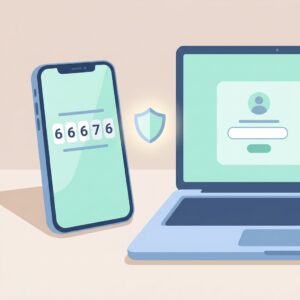
Most colleges already require 2FA for student portals, but it is worth turning on everywhere else too — email, banking, and social media included. With 2FA enabled, a stolen password alone will not be enough for anyone to break into your account; they would also need a code from an app on your phone.
How to get started:

Scammers specifically target students during back-to-school season, sending fake emails about financial aid refunds, tuition payment problems, textbook deals, or off-campus housing that never existed. These messages often create urgency, pushing you to click a link or send money quickly.
Before clicking anything or wiring money for a deposit, verify the request through your school’s official website or financial aid office directly.
How to get started:

Whether you are relying on a laptop for every assignment or a phone to manage your class schedule, outdated software leaves known security gaps open for hackers to exploit. Turning on automatic updates closes those gaps without your having to think about it.
How to get started:

Dorm networks, library Wi-Fi, and coffee shop hotspots are convenient but often unsecured, meaning your data could potentially be seen by others on the same network. A VPN encrypts your connection and adds a real layer of protection, especially if you frequently work from shared or public spaces.
If a VPN is not an option, avoid logging into banking or other sensitive accounts while on public networks, and save that activity for a connection you trust.
How to get started:
The Bottom Line for Students
You do not need to be tech-savvy to stay safe online — just a little intentional. Pick one tip to tackle this week, whether it is setting up a password manager or turning on 2FA for your student email, and build from there as the semester goes on.
A Guide for Parents: Helping Your Student Stay Secure
Sending a student off to college, or watching them navigate a heavier course load with more independence, often means handing over more digital responsibility than ever before. Here is how parents can help, without hovering.
Start the conversation early. Before the semester begins, walk through the basics together: password managers, 2FA, and how to spot a scam email. A short conversation now can prevent a stressful call later.
Know the scams that target families, not just students. Scammers sometimes pose as the students themselves, sending panicked messages to parents claiming an emergency and asking for money via gift cards or wire transfer. If you receive an urgent request that feels unusual, verify it by calling your student directly using a number you already have, not one provided in the message.
Watch for financial aid and tuition scams together. Fraudulent emails about “overdue” tuition balances or aid refunds often target both students and parents on shared accounts. If a message seems urgent or asks for immediate payment, confirm it through the school’s official billing portal before responding.
Set expectations around shared devices and accounts. If your student is using a shared family plan, laptop, or financial account, make sure passwords are unique to each person and not reused from a family or younger sibling’s account.
Keep communication open, not controlling. The goal is not to monitor your student’s every move online, but to make sure they know how to recognize risk and feel comfortable reaching out if something feels wrong.
Helpful resources for parents:
Have questions about staying safe online, or want help setting any of this up? Reach out to give IT. get IT. — digital security shouldn’t be out of reach for anyone, whether you are heading off to your first semester or sending a student off yourself. giveitgetit.org
Download a printable version of this guide to share:
Security Guide give IT get IT~ Back to School